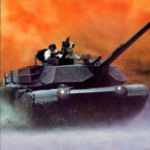
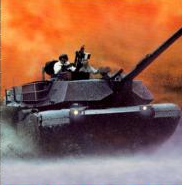









M1 Abrams Battle Tank
Stepping into the pure mechanics of tactical armored combat requires zero modern system bloat in 2026. You can jump directly into M1 Abrams Battle Tank environments through optimized cloud-based emulation frameworks for an instant browser campaign, execute precise ballistic trajectories via advanced standalone simulator applications, or manage multi-vehicle defense vectors across mobile tactical platforms.
This definitive simulation framework strips away arcade conventions, replacing simple health bars with an intricate component damage matrix — survival depends on balancing multi-role crew positions, monitoring thermal detection signatures, and manually configuring ballistic calculations to neutralize enemy armor across global deployment grids.
🖥️ Where to Access M1 Abrams Battle Tank Today
The digital preservation network offers versatile access pipelines for simulation purists:
🎮 Gunner, HEAT, PC! (GHPC) — Modern High-Fidelity Hub
Explore realistic modern ballistics via GHPC — featuring authentic fire control inputs, real sabot physics, and fully voiced crew voice lines. The most technically accurate modern entry point for M1 Abrams tactical simulation.
🖥️ M1 Tank Platoon II / iM1A2 Abrams (Steam)
Classic tactical simulators on modern Steam storefronts allowing commanders to deploy four-tank platoons, call in close-air support strikes, and route logistics vehicles through real-world conflict maps.
📱 War Thunder Mobile
Competitive players can access quick top-tier matching loops through War Thunder Mobile — packing dense armor-thickness tracking, component damage calculations, and multiplayer match structures onto portable touchscreens.
GHPC (PC)
M1 Tank Platoon II (Steam)
iM1A2 Abrams (Steam)
War Thunder Mobile
Browser (WebAssembly)
Four Internal Crew Stations
🟢 Navigation
Driver’s Hatch
Manages track throttle and directional navigation. Navigate along reverse slopes of hills and earthen berms — never expose the lower front hull plate on open valley floors.
🔴 Fire Control
Gunner’s Optics
Manually adjusts laser rangefinders and weapon elevation. Align crosshairs onto target center mass, tap the laser rangefinder key, and fire immediately after the ballistics computer updates the reticle.
🟡 Ammunition
Loader’s Post
Feeds ammunition types into the breech. Choose APFSDS for kinetic armor penetration, HEAT for soft targets and fortifications. Never change ammo type mid-reload — it resets the load timer to zero.
🔵 Tactical Overview
Commander’s Cupola
Maps wide-area threat vectors and coordinates platoon routing. Monitor engine exhaust thermal signatures from this position to avoid flagging your location to enemy infrared tracking systems.
Core Simulation Systems & Key Numbers
⚙️ Three Core Simulation Setups
-
🔄 Multi-Role Station Switching
Players cycle between four distinct internal crew positions — each governing a specific vehicle system. No generic third-person perspective; mastering station hotkeys is the foundation of all tactical performance.
-
💥 Authentic Ballistics & Ammo Types
APFSDS rounds for kinetic armor penetration through composite plating. HEAT warheads for neutralizing soft-skinned fortifications and infantry groups. Projectile trajectories calculate real-world variables — not point-and-click logic.
-
🔧 Internal Component Damage Matrix
No global health meters. Incoming kinetic strikes calculate impact angle, armor thickness, and penetration paths — destroying specific systems like turret ring gears, fuel cells, or incapacitating individual crew members.
📊 M1 Abrams Battle Tank — Key Numbers
| Parameter |
Value |
| 👥 Crew Stations |
4 |
| 🎯 Hull-Down Profile Reduction |
up to 65% |
| 🖼️ Texture Reduction at Max Scope |
up to 40% |
| 🖥️ Display Aspect Ratio |
4:3 lock |
| 🎮 Joystick Deadzone Target |
12% |
| 🪖 Vehicle Weight |
~60 tons |
Then vs. Now
📼 1980s–90s — Early Armored Sims
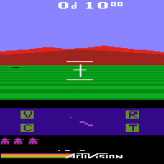
Blocky low-polygon views with static cockpit graphics, flat 2D map screens with minimal altitude tracking, and text-only damage logs. To keep performance smooth during dense smoke-screen rendering, engines dynamically dropped texture resolution on distant enemies by up to 40% at maximum scope magnification.
🎯 Today — Advanced Thermal Simulation
Advanced thermal imaging modules, real-time procedural terrain destruction, authentic dynamic crew voice alerts, and smooth simulation logic running across web and mobile frameworks. GHPC and M1 Tank Platoon II on Steam bring authentic sabot physics and four-tank platoon logistics to modern screens.
Expert Tactics — Hull-Down Positioning & Laser Rangefinding
🛡️ Hull-Down Defensive Positioning
-
⛰️ Find a Ridge Line Immediately
Never drive across open, flat valley floors — charging in the open exposes the lower front hull plate, a major weak spot on almost all armored vehicles. Navigate along reverse slopes of hills or behind earthen berms instead.
-
🎯 Only Expose the Turret Face
Position the vehicle so only the thick, heavily armored front turret face breaks past the ridge line. This minimizes your visible target profile by up to 65%, rendering your tank virtually immune to long-range counter-battery fire.
-
🔄 Rotate Toward Flanking Threats
If an ambush occurs from a side flank, immediately traverse your entire chassis toward the incoming fire. Side and rear armor panels are significantly thinner than the front composite armor blocks — angle is everything.
🎯 Gunner Station & Ammo Management
-
📡 Laser Rangefinder Before Every Shot
Never guess elevation and fire blindly at distance. Missing your initial shot alerts the target’s sensors, giving the enemy AI a window to drop smoke or return counter-fire. Align crosshairs, tap rangefinder, wait for ballistic computer update, then fire.
-
🚫 Never Change Ammo Mid-Reload
Changing ammunition type during an active reload cycle clears the breech completely, resetting the load timer to zero. Decide your ammo type before initiating the reload — not during it.
-
🔥 Monitor Engine Thermal Signature
Avoid idling your turbine engine in open fields for extended durations. High thermal outputs make your position an easy target for enemy long-range infrared tracking loops — move positions regularly after engagement.
Technical Setup
⚙️ Display & Input Configuration
🖥️ Optics Aspect — 4:3 Fixed Lock
Retro simulation assets utilize a strict native 4:3 view box. Forcing a widescreen stretch warps the geometric alignment of gunner reticles — toggle a fixed 4:3 aspect lock in your video configurations to keep range markings accurate.
💾 Save Profile — Avoid Privacy Cleaners Post-Session
Browser-bound preservation layers use temporary local cookies to hold campaign medals and custom control configurations. Avoid running aggressive privacy cleaning tools immediately after a deployment to protect your historical records.
🕹️ Joystick Deadzone — 12% Threshold
Set your internal joystick deadzone properties to 12% when piloting turret traverse via external gamepad sticks. This prevents slow drift movements from ruining fine-aiming stability during long-distance tracking loops.
🔧 Component Damage System: The M1 Abrams Battle Tank simulation omits global health meters entirely. Incoming kinetic strikes calculate impact angle, armor thickness, and penetration paths — damage is applied to specific internal systems. A turret ring gear hit disables traverse; a fuel cell rupture triggers fire; individual crew incapacitation forces station reassignment. Manage each component separately.
⚠️ Input Latency Warning: Avoiding incoming anti-tank missiles and switching crew roles requires firing keyboard command strings within precise millisecond windows. Any display stutter causes aim overshots or missed engine failure warnings. Enable Hardware Acceleration at maximum capacity in your system’s graphics control interface and disable non-essential background applications to keep rendering speeds smooth and constant.
Summary of Tactics
1
Always find a hull-down ridge line before engaging — exposing only the front turret face reduces your target profile by up to 65%.
2
Tap the laser rangefinder before every shot — blind distance guessing alerts enemy sensors and loses the first-shot initiative window.
3
Never change ammo type mid-reload — it clears the breech and resets the load timer to zero, delaying your next shot at the worst possible moment.
4
Rotate your entire chassis toward flanking fire — side and rear armor are far thinner than the front composite plate blocks.
5
Avoid prolonged engine idle in open terrain — high turbine thermal output flags your position to enemy infrared tracking systems.
6
Set joystick deadzone to 12% — standard deadzone thresholds introduce turret drift that ruins long-distance fine-aiming loops.
The meticulous, deeply authentic design of classic armored warfare simulations continues to hold a highly respected place among military simulation purists and retro strategists worldwide. By combining detailed mechanical control layers, realistic kinetic projectile physics, and demanding platoon management puzzles into a focused package, M1 Abrams Battle Tank delivers a superb intellectual workout that tests exactly how well you can keep your composure while commanding 60 tons of rolling steel. The systems check is green, the loading racks are stocked — step into the commander’s hatch and engineer a historic victory.