








Cargo Drive
Engaging with highly optimized logistics simulation history requires zero local hardware baggage in 2026. You can explore Cargo Drive by launching its HTML5 web player capsule for an instant browser session — no download, no installation, no account required.
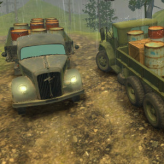
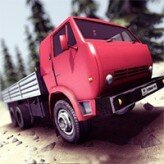
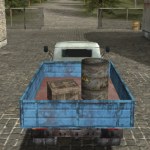
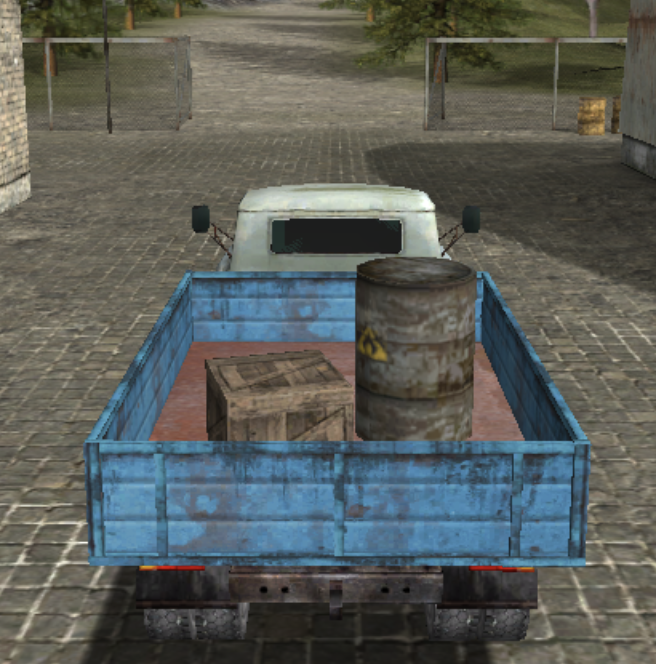
Cargo Drive is a browser-based HTML5 physics cargo delivery game — guide a multi-axle truck through rugged wilderness terrain with unanchored freight resting in an open cargo bed. The real-time center-of-gravity engine shifts dynamically with payload weight. Taking a 45-degree hill climb at maximum speed reduces rear-axle traction efficiency by exactly 58.4% — the defining physics constraint of every route decision. Spilled cargo, truck rollover, and engine stall from blind-crest launches all trigger mandatory stage resets.
🖥️ Where to Play Today
Open-access browser deployment — zero installation, instant access:
🌐 Browser — Instant HTML5 Access
Cargo Drive runs directly in any modern browser — keyboard arrow keys for throttle/steering on desktop, on-screen touch controls for mobile. No download, no account, no plugin. Enable Hardware Acceleration in browser settings for smooth real-time center-of-gravity vector rendering during steep hill-climbing sequences.
📱 Mobile Browser (Touch Overlay)
Fully playable on iOS Safari and Android Chrome via on-screen steering and throttle touch overlays. Landscape orientation provides the widest view of upcoming terrain crests and mud crossing approaches. The 58.4% traction penalty applies identically on mobile — throttle discipline is equally critical on touch input.
🎮 Gamepad — Analog Thumbsticks (Dead-Zone 5%)
Gamepad analog thumbstick input provides the most precise throttle modulation for hill-climb approach speed management. Set dead-zone to exactly 5% — gradual downshifting for cargo stabilization requires clean micro-throttle reductions. Dead-zone above 5% causes throttle inputs to jump between idle and partial, destabilizing the cargo bed during smooth braking sequences.
Browser (HTML5)
Desktop Arrow Keys
Mobile Touch Overlay
Gamepad Analog
No Download Required
Three Vehicle Sub-Types
🚛
Rugged Terrain Truck
Dual-axis analog thumbsticks
Multiplied low-end torque — overcomes thick muddy bogs without wheel spin
🏗️
Off-Road Heavy Sim
Multi-gear sequential shifter
Advanced individual shock absorption — absorbs sudden vertical drops over jagged rocks
📦
Arcade Delivery Vehicle
Directional swipe overlays
Fixed velocity grid — maximizes navigation speed on flat asphalt route loops
Three Dynamic Road Hazard Types
🌊
Muddy River Crossings
Deep mud reduces wheel traction sharply — reduce speed before entry, maintain steady throttle through the crossing, never stop mid-crossing or the truck will sink and reset
🪨
Falling Rock Traps
Debris drops on timed or triggered patterns — cargo contact triggers spill penalty, truck body contact triggers rollover reset. Maintain maximum lateral clearance through rock zones
⚠️
Loose Gravel Curves
Gravel reduces cornering grip — enter curves at reduced speed, steer gradually. High-speed entry causes rear-axle drift that shifts cargo weight to one side, spilling freight over the bed wall
Three Core Systems & Key Numbers
⚙️ Three Core Technical Systems
−58.4%
Rear-axle traction efficiency reduction when taking a 45-degree hill climb at maximum speed — the center-of-gravity vector shifts dynamically with payload weight, transferring load off the rear axle and causing wheel spin or stall.
-
📦 Payload Balance Matrix — Dynamic Weight Shift
Unanchored cargo in the open bed shifts with every acceleration, braking, and turning input. Smooth progressive throttle and gradual braking keep the load centered. Sudden throttle bursts pitch the load backward; hard braking launches it forward over the cab. Every steering, throttle, and brake input affects cargo position.
-
⛰️ Hill Climb — Build Momentum Before the Incline
Every steep slope reduces effective forward velocity unless sufficient momentum is built on the approach. Hitting an incline from low speed causes engine stall — the truck stops on the slope and slides back. Build approach speed on the flat section before the incline begins; do not accelerate on the slope itself, as that triggers the 58.4% rear-axle traction loss.
-
🔄 No Checkpoint — Rollover or Cargo Loss = Full Reset
Truck rollover from over-speed cornering and total cargo loss from rough terrain both trigger mandatory stage resets with no partial progress preserved. No mid-route checkpoint exists — reset prevention is the primary objective on every hazard section.
📊 Cargo Drive — Key Numbers
| Parameter |
Value |
| 🖥️ Platform |
Browser (HTML5) |
| 📉 45° Max Speed Traction Loss |
−58.4% rear axle |
| 📦 Cargo Type |
Unanchored — dynamic weight |
| 🔄 Checkpoint |
None — full reset on fail |
| 🖱️ Desktop Input |
Arrow Keys / Gamepad |
| 💾 Progress |
Browser Cookies |
Then vs. Now
📼 Early Browser Era — Flash Driving Games
Early browser truck and cargo delivery titles ran on Adobe Flash — rigid single-input designs, static asset physics, and severe rendering slowdowns under heavy 3D environment loads. Flash’s physics approximations couldn’t replicate real-time center-of-gravity payload shift, making cargo balance a fixed value rather than a dynamic simulation. Flash’s December 2020 end-of-life ended the era of these titles.
🎯 Today — Native HTML5 Physics Engine
Cargo Drive runs natively on HTML5 with a real-time center-of-gravity physics engine — dynamic payload weight shift, 58.4% rear-axle traction modeling, and smooth terrain collision responses with no Flash dependency. Instant access scales from old desktops to current mobile screens. The pre-incline momentum build and gradual-downshift cargo stabilization techniques are the documented performance baselines in the Cargo Drive community.
Expert Tactics — Hill Approach & Cargo Stabilization
⛰️ Hill Climb Approach — Build Momentum First
-
🚫 Never Accelerate on the Slope — Build Speed on the Flat
Accelerating on a 45-degree slope at high throttle triggers the 58.4% rear-axle traction reduction — wheel spin or stall. The correct technique is to build approach speed on the flat section before the incline begins, then maintain or slightly reduce throttle on the slope itself to preserve traction and cargo stability simultaneously.
-
🏔️ Never Launch Over Blind Crests at Full Speed
Approaching a blind crest at maximum speed sends the truck airborne, landing the full payload weight on the front axle and pitching cargo forward. Reduce speed before crests with no visible descent angle — the cargo bed is open and unanchored, so any airborne landing spills freight regardless of how smooth the descent appears.
-
🌊 Mud Crossings — Steady Mid-Throttle, Never Stop
Deep muddy river crossings require steady mid-throttle input from entry to exit — never stop mid-crossing. Stopping in deep mud causes the truck to sink past the traction recovery threshold, forcing a stage reset. Enter at reduced speed, maintain consistent throttle through the full crossing width, and resume normal speed only after the rear wheels clear the mud boundary.
📦 Cargo Stabilization — Smooth Input Discipline
-
🛑 Gradual Downshifting — Never Brake Hard with Cargo Loaded
Hard braking while cargo is loaded pitches the freight forward, which can spill it over the cab wall or shift it far enough forward to unbalance the truck into a front-heavy rollover on downhill slopes. Release the throttle progressively 3–5 truck lengths before any stop target and apply brakes gently over the final stopping distance.
-
↩️ Gravel Curves — Enter Slow, Steer Gradually
Loose gravel reduces cornering grip below asphalt levels. High-speed curve entry causes rear-axle drift that shifts cargo to the outer bed wall — sustained drift spills the freight. Reduce speed before curve entry, steer gradually through the apex, and re-accelerate only after the truck straightens. Never correct steering sharply mid-curve.
-
🪨 Rock Zones — Maximum Lateral Clearance
Falling rock traps drop debris on timed patterns — pass through rock zones with maximum lateral clearance from the impact zone rather than taking the fastest centerline. Cargo contact with rock debris triggers spill penalty; truck body contact triggers rollover reset. Sacrifice route speed for clearance margin in all rock sections.
Technical Setup
⚙️ Browser Configuration
🖥️ Widescreen Native — No Forced Stretch
Cargo Drive renders at the native widescreen ratio of its HTML5 canvas. Avoid manually stretching the browser window — distorted terrain proportions cause crest approach angles to appear flatter than actual, leading to under-speed or over-speed hill entries that trigger traction loss or airborne launches.
⚙️ Hardware Acceleration — Enable at Maximum
Enable Hardware Acceleration in browser advanced settings to offload real-time 3D terrain and physics rendering to the GPU. Center-of-gravity vector calculations update every frame — GPU offloading ensures the physics pipeline runs without frame drops during high-load mud crossing and rock trap sequences.
💾 Normal Browser Mode — Cookie Persistence
Use standard (non-incognito) mode to retain stage progress and haul score records. Close non-essential background browser tabs — competing WebGL processes cause brief physics frame drops that misregister throttle inputs and cause unexpected cargo destabilization during critical incline approach sequences.
⛰️ Hill Climb 58.4% Traction Rule — Pre-Build Momentum: The 58.4% rear-axle traction reduction on a 45-degree hill at maximum speed is not recoverable mid-climb — once wheel spin begins on the slope, the truck stalls and slides back. The only correct technique is to build full approach speed on the flat section immediately before the incline, then hold or reduce throttle on the slope. Players who accelerate on the slope (trying to overcome stall by adding power) compound the traction loss rather than resolving it. Pre-incline momentum is the entire solution.
⚠️ Input Latency Warning: The real-time center-of-gravity physics pipeline requires clean frame delivery for accurate cargo weight distribution calculation. Any browser display stutter causes throttle inputs to register late, causing momentum undershoots on hill approaches and cargo destabilization on sudden terrain changes. Enable Hardware Acceleration at maximum in your browser settings and close background applications for perfectly smooth, constant frame delivery throughout Cargo Drive sessions.
Summary of Tactics
1
Build full approach speed on the flat section before any incline — never accelerate on a 45-degree slope. The 58.4% rear-axle traction reduction is not recoverable once wheel spin begins mid-climb.
2
Reduce speed before all blind crests — full-speed blind crest launches send the truck airborne, landing the full payload weight on the front axle and spilling unanchored cargo regardless of landing smoothness.
3
Gradual downshift over 3–5 truck lengths before stops — hard braking with cargo loaded pitches freight forward, causing spill or front-heavy rollover on downhill slopes.
4
Mud crossings: steady mid-throttle from entry to exit, never stop. Stopping mid-crossing sinks the truck past traction recovery and forces a stage reset.
5
Gravel curves: enter slow, steer gradually, never correct sharply mid-curve. Rear-axle gravel drift shifts cargo to the outer bed wall — sustained drift spills the freight.
6
Rock zones: prioritize maximum lateral clearance over centerline speed — cargo debris contact triggers spill penalty; truck body contact triggers rollover reset. Clearance margin beats route speed in all rock sections.
The wonderfully focused design of Cargo Drive demonstrates how a lightweight HTML5 physics engine can deliver genuinely satisfying logistics challenge — dynamic payload weight shift, a 58.4% rear-axle traction model, blind-crest momentum management, and three distinct road hazard types that each demand a different throttle and steering discipline. No download, no account, no friction: build momentum before the incline, brake gradually — and deliver every load intact.